RICE prioritization software
Prioritize feature requests with evidence, not a spreadsheet
Score real requests with Reach, Impact, Confidence, and Effort. ProductLift keeps every score beside the votes, customer segments, revenue signals, and roadmap context that explain the decision.
Learning the method first? Read the practical guide or try the free calculator.
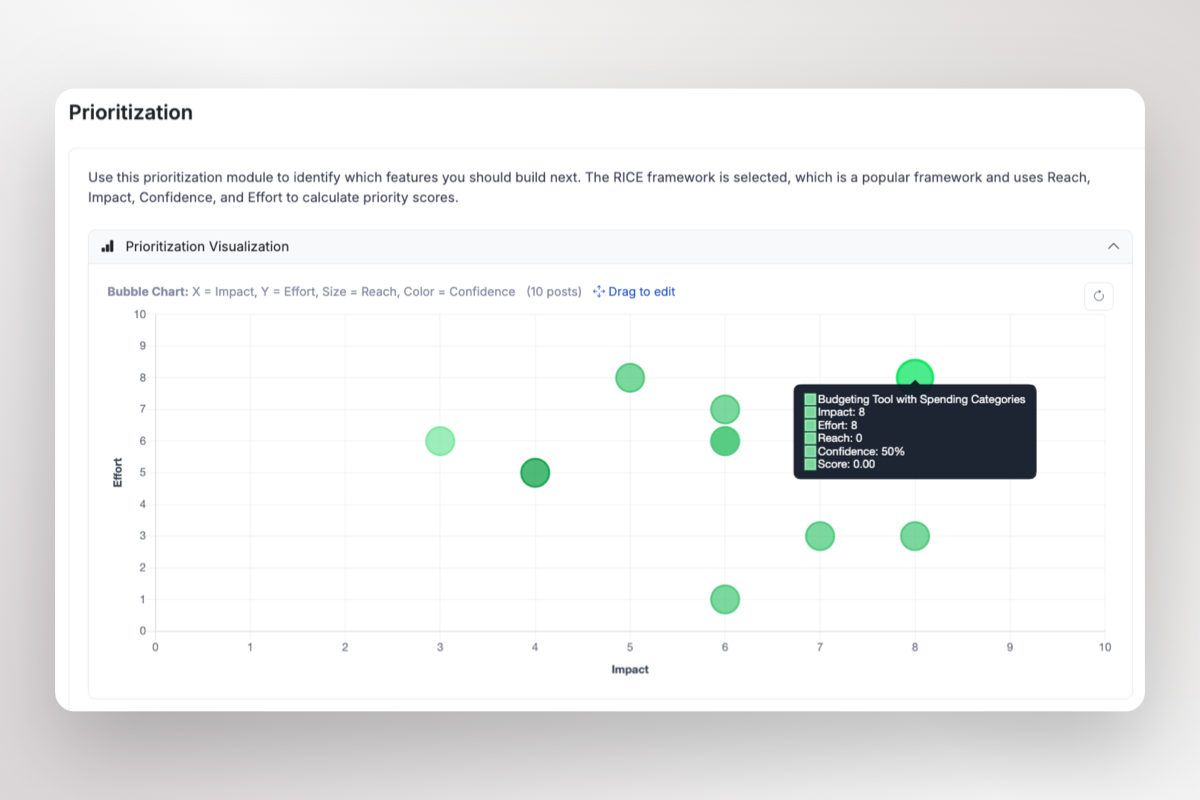
RICE in context
Why use a RICE tool instead of a spreadsheet?
A spreadsheet can calculate the formula. It cannot show why customers asked, which accounts matter, what engineering learned, or what happened after the decision.
Score the real request
Reach and Impact sit on the same item as votes, comments, tags, segments, and customer context. No copy-paste snapshot that goes stale.
Inspect the evidence
A high score is a prompt to investigate, not an automatic verdict. Open the request to see who asked, what they said, and how reliable the assumptions are.
Move the winner forward
Turn the ranked request into roadmap work, connect delivery in Jira or Azure DevOps, and notify voters when the feature ships.
One connected workflow
From customer signal to ranked backlog
Collect
Capture requests through your portal, widget, integrations, or internal team.
Review
Check votes, customer segments, comments, MRR, and related requests.
Score
Enter Reach, Impact, Confidence, and Effort. ProductLift calculates the RICE score.
Deliver
Move selected work to the roadmap and keep requesters informed as it progresses.
The score is not the decision
See the ranking and the evidence behind it
A sorted list tells you what won. ProductLift also shows why it won, who asked for it, and what your team should do next.
- ✓Visual ranking: compare the shape of the backlog, not just one isolated score.
- ✓Live demand: inspect vote count, comments, duplicate requests, and customer segments.
- ✓Commercial context: see MRR, LTV, plan, and company data beside the voters.
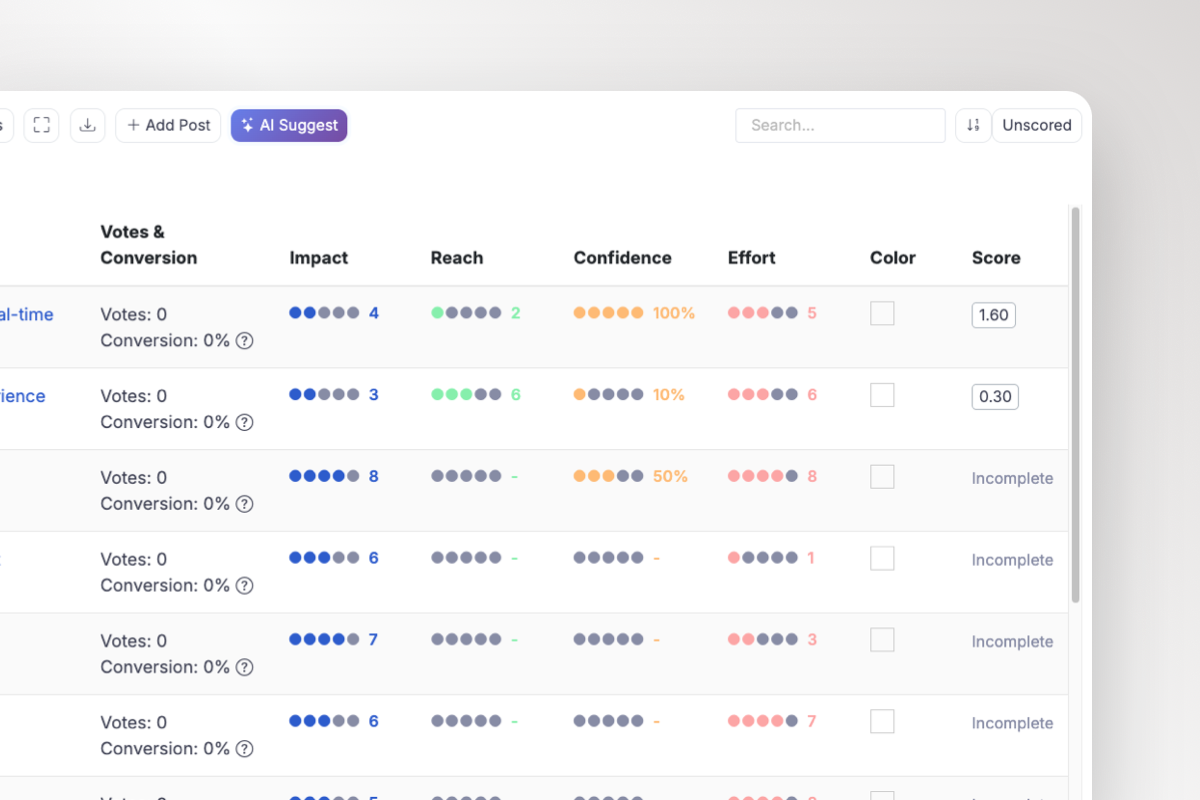
AI drafts the first score
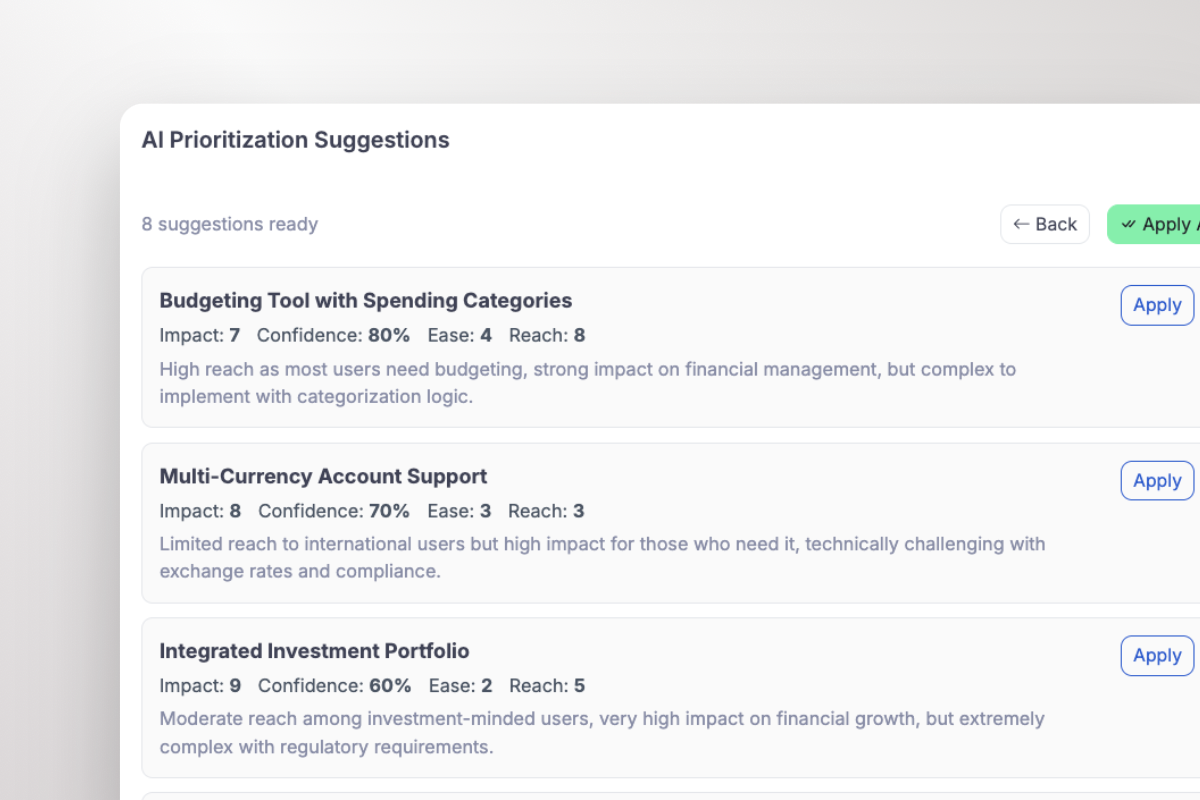
Use AI Suggest to draft Reach, Impact, Confidence, and Effort from your product vision and existing scoring patterns. You accept, edit, or reject every suggestion.
Your columns, your decision
Add and reorder custom fields for the evidence your team values. Keep severity, strategic fit, account tier, or another criterion beside RICE.
Segments show who is asking
See what share of voters is Enterprise, SMB, Trial, or any segment you define. Filter the backlog when one audience matters more.
Revenue changes the conversation
Connect Stripe or customer records to see MRR, LTV, plan, and company context. A loud request and a valuable request are not always the same.
Discuss the tradeoff privately
Use internal comments and @mentions to challenge assumptions, record the override, and keep team debate attached to the request.
Follow the request to release
Move the selected item onto the roadmap, connect delivery in Jira or Azure DevOps, then notify voters when it ships.
Faster first pass
Let AI draft the factors, then make it defend them
A blank scoring table slows teams down. ProductLift can draft Reach, Impact, Confidence, and Effort from your product vision and the request context. Every suggestion includes a rationale, so your team can accept it, edit it, or reject it.
- ✓No black-box ranking: the proposed factors stay visible.
- ✓Your strategy matters: suggestions use the product vision you set.
- ✓Humans keep control: nothing is applied until your team approves it.
Use the right framework
RICE is built in, but it is not your only option
Use RICE when Reach varies and you have enough evidence to estimate it. If that distinction is still unclear, compare RICE and ICE on the same backlog before choosing a scoring view.
RICE
Rank a larger backlog with Reach, Impact, Confidence, and Effort.
Explore method →ICE
Score quickly when reliable Reach data is not available.
Explore method →MoSCoW
Agree what must, should, could, and will not enter a release.
Explore method →Impact/Effort
Triage ideas visually before deeper scoring.
Explore method →Questions
RICE prioritization FAQ
What is RICE prioritization software?+
Can ProductLift calculate RICE scores automatically?+
Do we have to use RICE for every decision?+
Can I test the formula before signing up?+
Where can I learn how to score Reach, Impact, Confidence, and Effort?+
Turn customer evidence into a ranked backlog
Prioritization library
Choose a method, calculate a score, then apply it
This library connects every ProductLift prioritization guide, calculator, template, and product workflow. Start with the framework guide if you do not know which method fits your decision.
Start and compare
Pick the right route before committing to a scoring model.
RICE
Balance reach, impact, confidence, and effort.
ICE
Score ideas quickly with impact, confidence, and ease.
MoSCoW
Classify requirements by what a release must, should, could, or will not include.
Other methods and tools
Use a visual matrix or a specialized model when simple scoring is not enough.